


 Watch video




 Sign in with Google
YouTube Strategy
YouTube marking AI video: What YouTube’s new automatic labels mean for your channel

tl;dr – YouTube marking AI videos
- YouTube marking AI video is now more visible and more automated than before.
- As of May 27, 2026, AI disclosure labels are moving from buried description areas to much more noticeable placements.
- On long-form uploads, the label can appear directly below the player and above the description.
- On Shorts, the AI disclosure can appear as an on-video overlay.
- YouTube is also automatically detecting some AI-generated content and applying labels even if the creator does not manually disclose it.
- The automatic system is aimed at significant photorealistic AI content, not obviously animated or unrealistic visuals.
- These labels do not, by themselves, reduce recommendations or monetization.
- The real risk comes from separate enforcement against repetitive, mass-produced, inauthentic content.
- Creators should review recent uploads, understand the new label placement, and monitor YouTube Studio for incorrect labels.

What’s the big idea?!
Get video inspo backed by data. Next Video Ideas analyzes your channel, audience, niche, and millions of YouTube datapoints to make your next video a #1.
If YouTube marking AI video feels sudden, that’s because the change is happening in two ways at once: YouTube is making AI labels much more visible, and it is also starting to apply the label automatically in some cases.
It’s a small change but has big implications: AI disclosure is no longer hidden behind a “Show more” link. It is now right up front and part of the first impression your video makes. If your content includes photorealistic AI faces, environments, or footage, YouTube may decide the label belongs there even if you never turned it on yourself.
For creators, think about this as transparency, not punishment. This move is different from YouTube’s broader enforcement against low-quality, inauthentic AI content.
If you’ve been using AI in your workflow, this is a good time to get familiar with the platform’s latest disclosure requirements and to revisit broader guidance on YouTube AI content policy changes.
Table of contents
- tl;dr – YouTube marking AI videos
- What changed with YouTube marking AI videos in May 2026
- Where the label shows up now
- How automatic detection works
- What kind of content gets labeled
- SynthID and the permanent-label cases
- What to do if YouTube labels your video incorrectly
- Does YouTube marking AI video hurt monetization or reach?
- Transparency labels vs demonetization risk
- Three steps creators should take now
- Conclusion – YouTube marking AI video is about visibility, not punishment
- FAQ – YouTube marking AI video: What YouTube’s new automatic labels mean for your channel
What changed with YouTube marking AI videos in May 2026
On May 27, 2026, YouTube announced an update to AI labeling that introduced two meaningful changes.
- The platform changed where AI disclosure labels appear.
- The platform began automatically detecting some AI-generated content and applying labels on its own.
That combination is what makes this update feel much bigger than a simple UI tweak. Previously, AI video labels were easier to miss because the disclosure sat in the description area. Now the label has been moved much closer to the content itself, and in some cases directly atop the content.
YouTube is framing the update as giving viewers context at a glance. In other words, if a piece of media looks real but was created or significantly altered by AI, the platform wants that fact to be right up front.
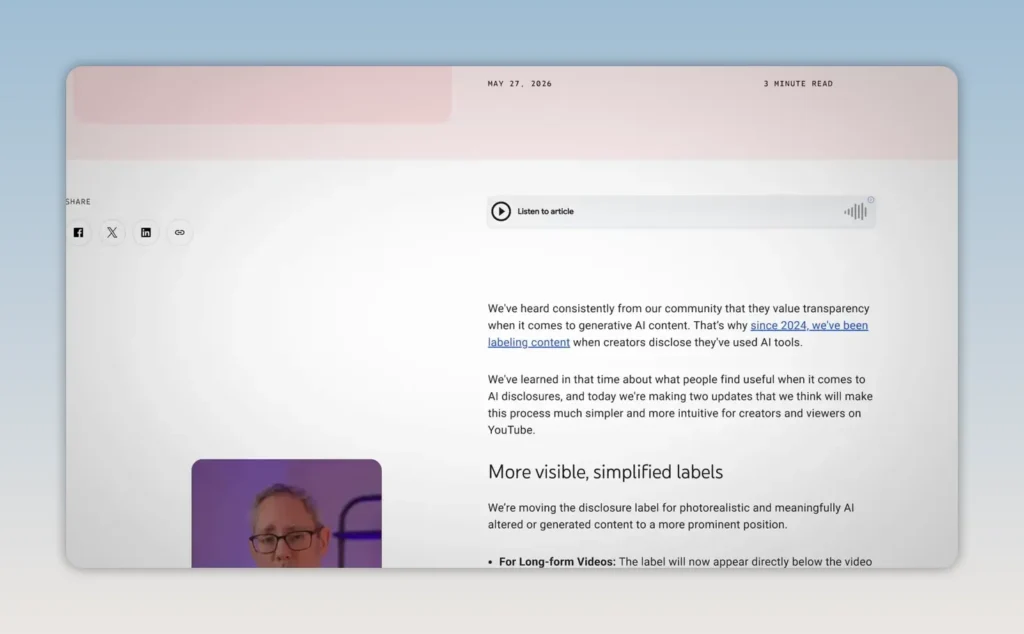
But whether you choose to disclose AI content in your video or whether YouTube marks AI videos for you, the AI label is now much more clear and visible to viewers.
Where the label shows up now
Before this update, AI disclosure labels could be tucked away in the description and viewers would have to know to go looking. Now, AI content has nowhere to hide.
And when YouTube marks AI videos (or when creators get out ahead of YouTube and mark their own content as meaningfully AI) an AI label shows up:
- On long-form videos, the label can appear directly below the player and above the description.
- On Shorts, the label can appear as an overlay on the video itself.
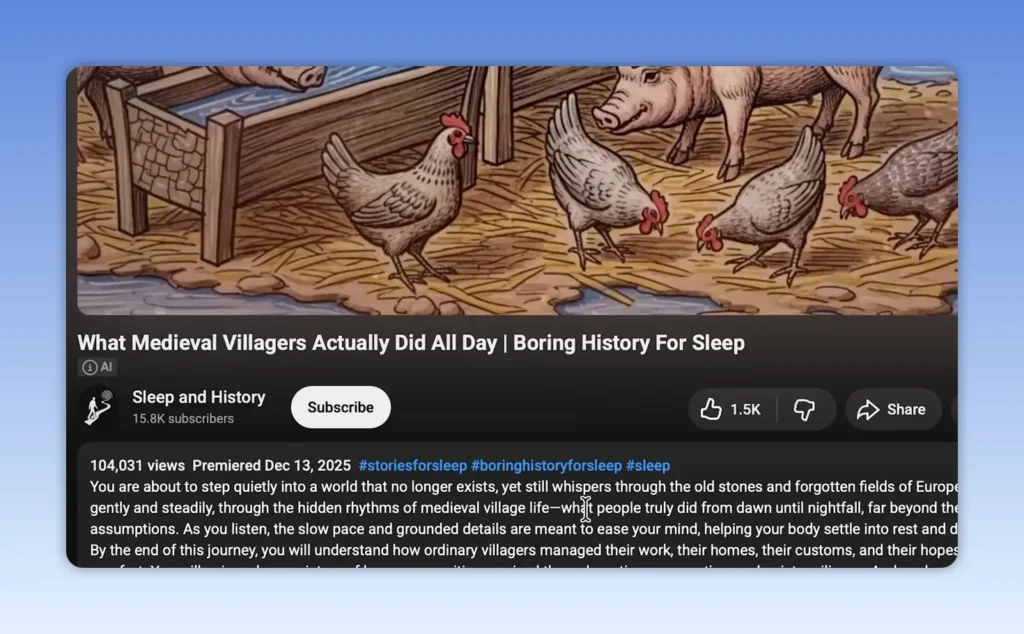
For Shorts, the change is even more immediate. Since Shorts move quickly and leave less room for metadata, YouTube places the disclosure right on the content itself with the overlaid text rather than relying on a hidden panel.
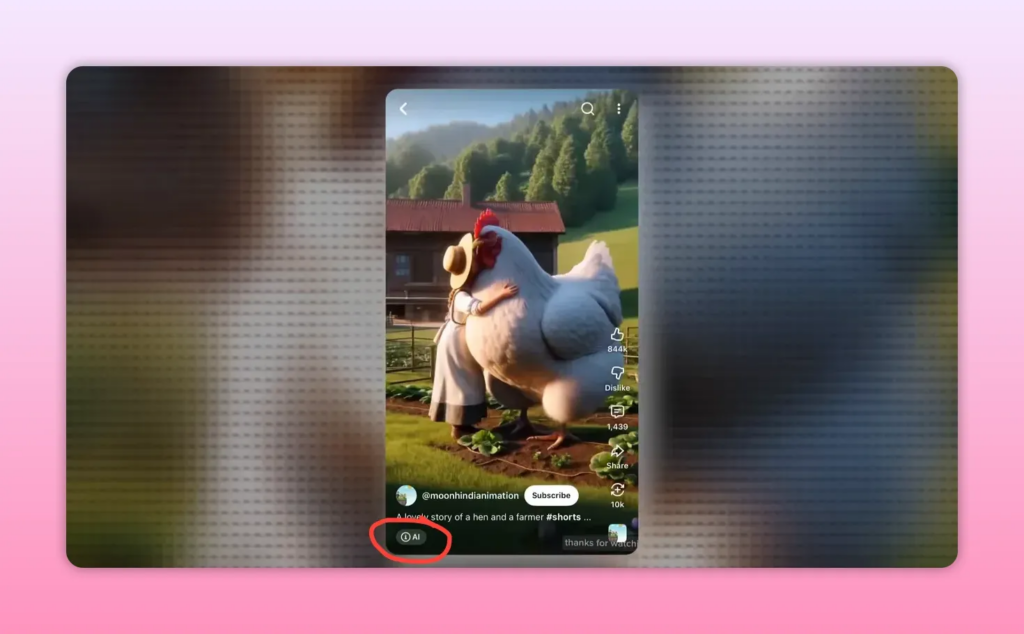
If you use AI in a way that could affect trust, realism, or authenticity, this new placement changes the strategic conversation. It does not mean “don’t use AI.” It does mean that viewers will know your content is using AI immediately.
How automatic detection works
The second change is the one creators are more likely to worry about: YouTube is no longer relying entirely on self-reporting.
When YouTube’s systems detect significant photorealistic AI use in a video, the platform can apply the disclosure label even if the creator never selected it manually.
In other words, YouTube marking AI video automatically.
Again, we’re not talking about content workflows that use AI. This is about “AI-forward” content.
In practical terms, YouTube is marking AI videos that a person might otherwise think are real, or content that simply wouldn’t exist without AI.
What kind of content gets labeled
The automatic system is focused on photorealistic AI.
That includes content such as:
- Realistic AI-generated faces
- Photorealistic environments
- AI-generated footage that appears authentic or documentary-like
- Meaningful AI alterations that could change how the scene is understood
What is not in the same category? Content that is clearly unrealistic, stylized, or animated.
If your visuals are obviously not real, or only lightly altered, that kind of disclosure may still exist, but it does not necessarily get the same front-and-center treatment. The key threshold here is realism. YouTube marking AI video becomes much more prominent when the content could be mistaken for reality.
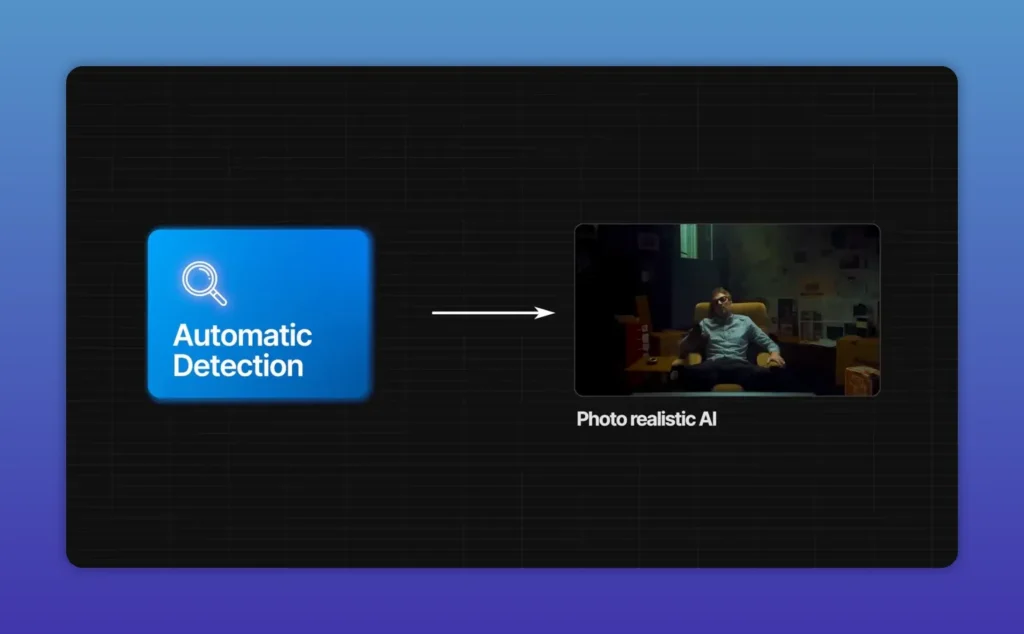
This distinction matters because many creators use AI as a creative tool. The update does not suggest that every AI-assisted thumbnail concept, animation style, or obviously synthetic visual will get the automatic AI labeling treatment.
SynthID and the permanent-label cases
One of the clearest explanations in the update is that YouTube is not simply “guessing” whether a file contains AI-generated media.
If a creator used a Google AI tool, the file may already contain an invisible, embedded “SynthID” watermark. With that, it’s trivial for YouTube to know the content is AI and mark it accordingly.
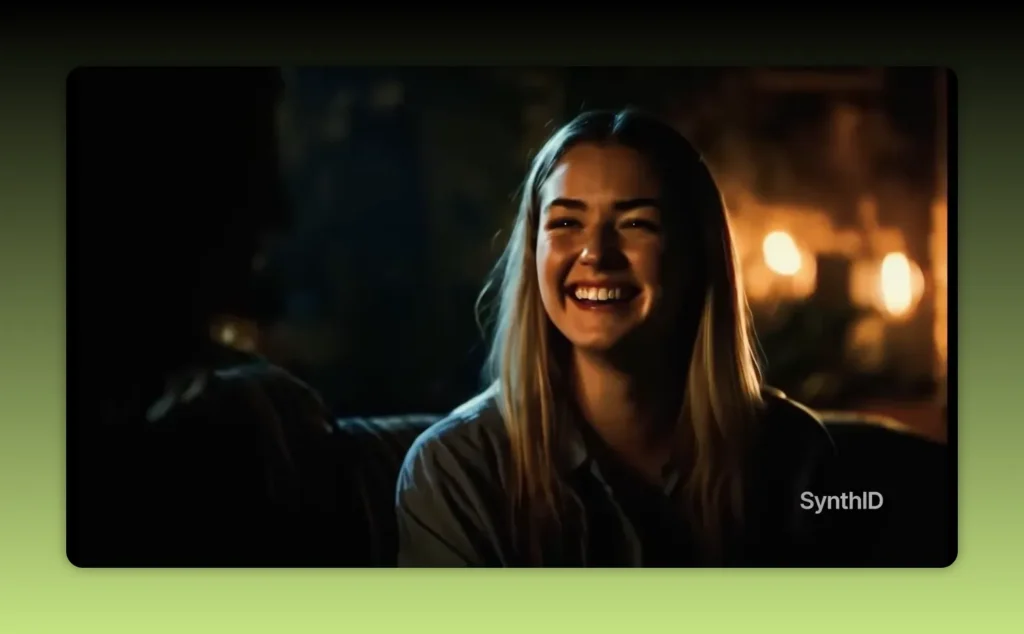
While creators can push back on YouTube’s labelling in some cases (more on that in a second), there are other cases where the AI label can’t be removed. Two examples stand out:
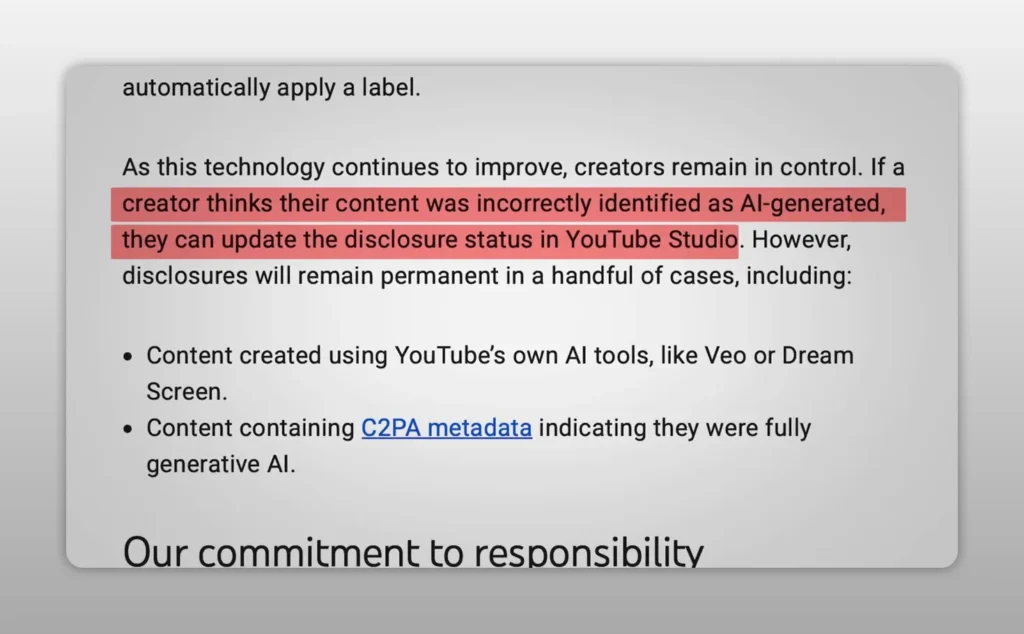
- Content created using YouTube’s own AI tools, such as Veo or Dream Screen
- Files that include metadata showing they are fully generative
In these cases, YouTube marking AI video is not a judgment call; it’s a verfiable fact.
If you want to understand the bigger monetization context around AI-heavy publishing, it’s also worth reading YouTube AI Monetization Crackdown: How Creators Can Stay Safe.
What to do if YouTube labels your video incorrectly
For most creators, this change will have little or no impact. And if YouTube marks a video as containing AI content and you disagree, you do have recourse.
Creators can go into YouTube Studio and update the disclosure status themselves. But it’s not a one-click process and requires some manual intervention.
That makes routine review more important. Once this rollout is fully active across the platform, creators using AI-adjacent workflows should periodically inspect their uploads for disclosures they did not add themselves.
If you spend a lot of time refining metadata and upload settings already, this simply becomes one more item on the checklist, similar to title accuracy, description clarity, and policy compliance. For that broader workflow, TubeBuddy’s guide to YouTube video descriptions is a useful companion read.
Does YouTube marking AI video hurt monetization or reach?
We’ve seen nothing to suggest that YouTube marking AI videos will have any impact on reach or monetization.
It seems to be about transparency, not punishing creators that use AI. YouTube marking AI video does not automatically reduce recommendation eligibility, and it does not automatically strip monetization from the upload.
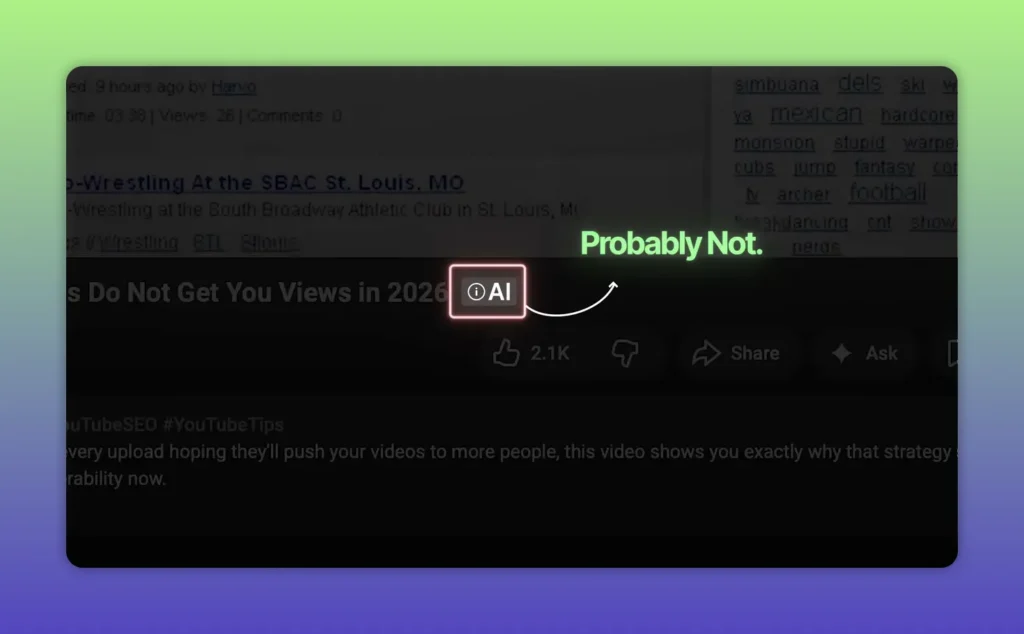
The YouTube AI label tells people that AI played a significant role in producing or meaningfully altering what they’re seeing. It doesn’t suggest the content is low quality or deceptive. Though there’s no telling how viewers may respond.
Whatever the case, it’s a good idea to stay current with YouTube policy shifts and changes to the YouTube Partner Program (YPP). TubeBuddy’s coverage of the YouTube monetization update is relevant here, especially as enforcement around repetitive and mass-produced content intensifies.
Transparency labels vs demonetization risk
YouTube marking AI video is one thing. YouTube’s recent crackdown on inauthentic, repetitive, mass-produced content — that may or may not use AI — is something else entirely.
Content that YouTube deems to be “inauthentic” can be subject to monetization penalties, up to and including getting booted from the YouTube Partner Program entirely.
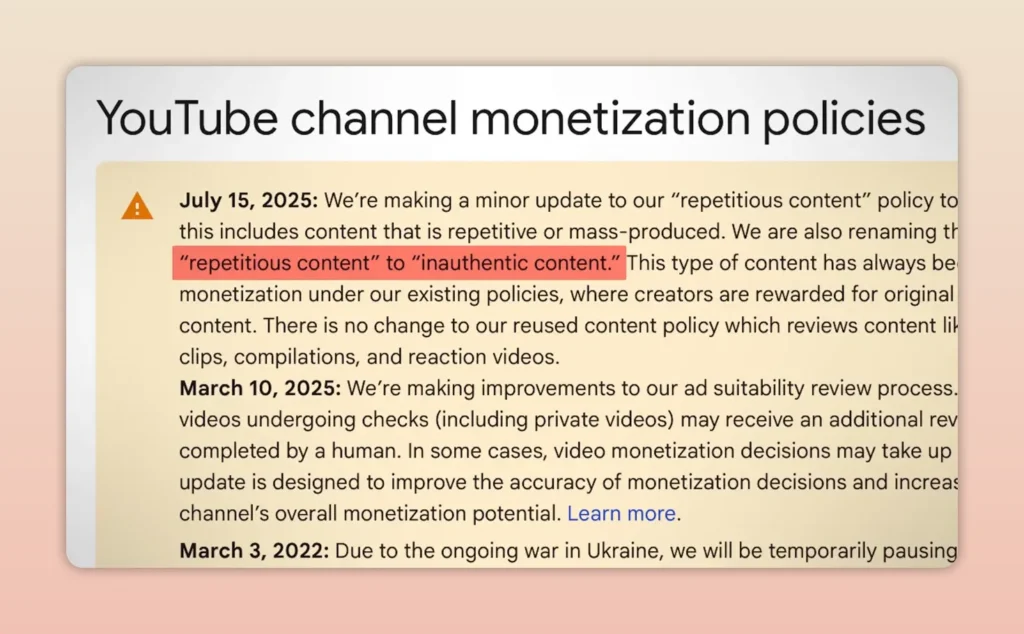
Which makes sense, because YouTube — like so many other platforms — has an AI slop problem. YouTube is taking steps to address that problem, like demonetizing “repetitious” and “inauthentic” content. But YouTube marking AI videos is different and seems to be intended to keep creators honest, and build trust with viewers.
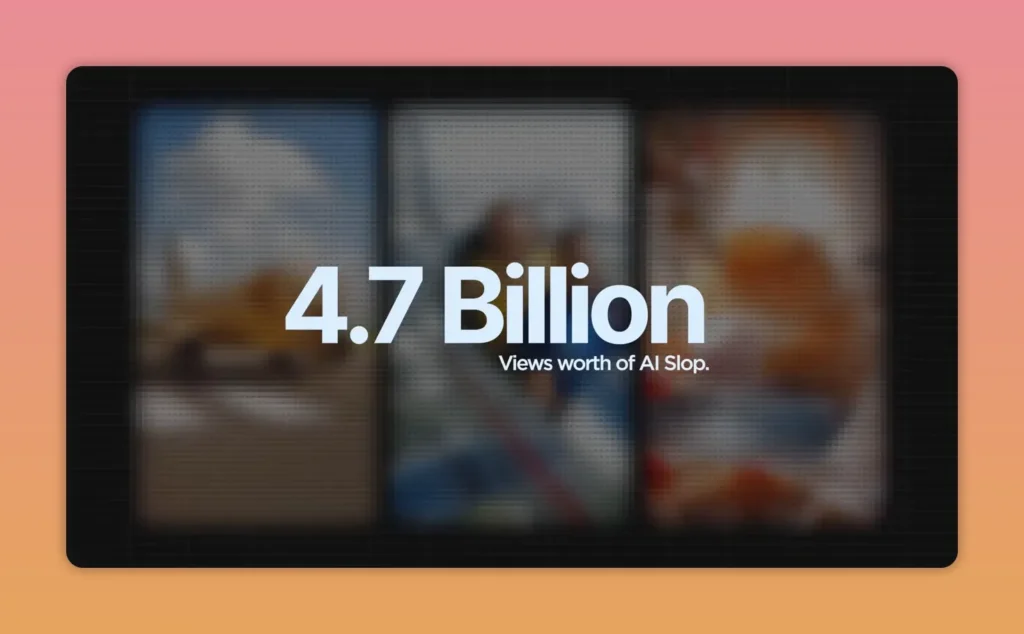
To get some perspective on the sheer size of the challenge YouTube is facing: there are some 4.7 billion views on AI slop in a single month. If that AI content isn’t marked as AI, audiences could well lose confidence in the platform itself. Labeling AI content and removing some of the incentive behind repetitive, low-effort, slop content are just two different ways YouTube is addressing the problem.
Our article on YouTube AI demonetization offers more detail on how YouTube is tackling slop and how that may impact creators.
Three steps creators should take now
Now that YouTube has begun automatically marking AI video, there are three things every creator should do:
1. Check your recent uploads
If any recent video includes photorealistic AI and you did not disclose it, consider doing that now rather than waiting for the platform to decide for you. We’ve seen nothing to suggest there is a “punishment” for overlooking disclosure but it doesn’t pay to take chances.
2. Understand the new label position
AI disclosure is now much more prominent now. That means it can shape trust, expectations, and how your content is interpreted before anyone gets to the description.
If AI is central to your style or workflow, think through whether the new placement changes how you package that content. In some cases, it may simply mean being more intentional and more transparent upfront.
3. Keep an eye on YouTube Studio
Once this system rolls out across your uploads, look for labels you did not manually add. If one and you disagree, fix it in Studio.
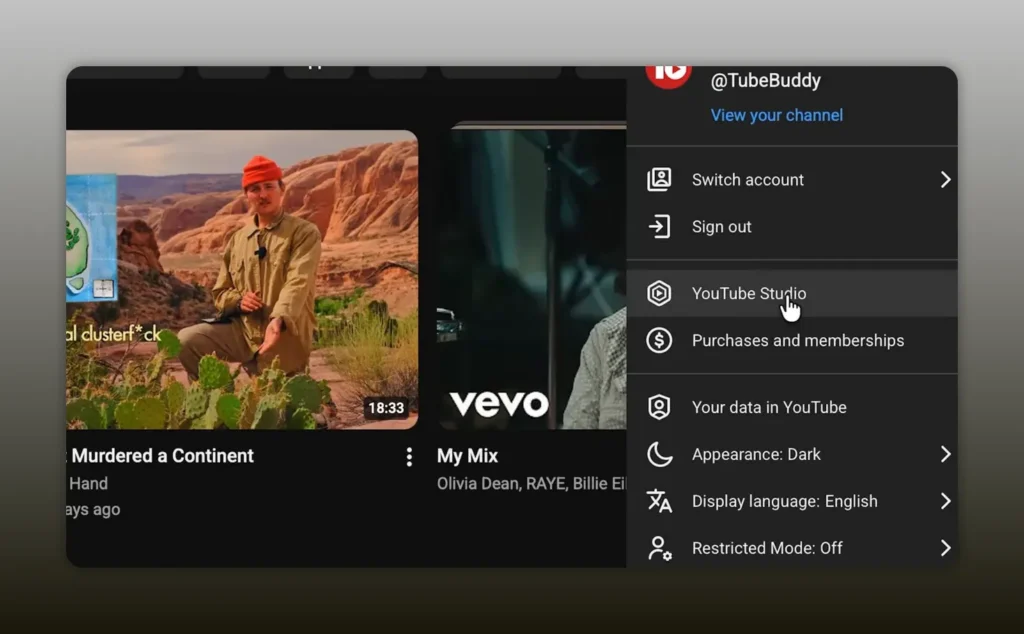
If you publish frequently, it may help to build this into your normal post-publish process alongside performance monitoring, description updates, and watch-time review. On that note, if you are trying to balance compliance with performance, our guide to YouTube watch time is a strong refresher on the metric that still matters most for growth.
Conclusion – YouTube marking AI video is about visibility, not punishment
YouTube marking AI video is primarily about disclosure. It is about context. It is YouTube’s way of making sure that if content looks real but was generated or significantly altered by AI, audiences are aware.
YouTube slapping an “AI” badge on videos is not the same as its push against repetitive, low-value AI slop.
So the smart move is simple: audit your recent uploads, understand where labels now appear, and monitor Studio for anything that needs correcting. Creators who adapt early usually avoid the most preventable problems later.
For more ongoing strategy, policy, and monetization guidance, follow our monthly YouTube Creator News posts.
What’s the big idea?!
Get video inspo backed by data. Next Video Ideas analyzes your channel, audience, niche, and millions of YouTube datapoints to make your next video a #1.
FAQ – YouTube marking AI video: What YouTube’s new automatic labels mean for your channel
It means YouTube is disclosing when a video contains photorealistic or meaningfully altered AI content. The platform is making those labels more visible and, in some cases, adding them automatically.
No. The change discussed here is focused on significant photorealistic AI content. Clearly animated, unrealistic, or lightly altered material is not treated the same way.
On long-form content, the label can appear below the player and above the description. On Shorts, it can appear as an overlay on the video itself.
Not by itself. The label is described as a transparency feature, not a punishment. Separate enforcement against repetitive or mass-produced inauthentic content is where monetization risk enters the picture.
Yes, if the label was applied incorrectly, you can update the disclosure status in YouTube Studio. It does not automatically fix itself, so you need to make the change manually.
Two notable cases were identified: content created with YouTube’s own AI tools such as Veo or Dream Screen, and files containing metadata showing they are fully generative.


