


 Watch video






 Sign in with Google
YouTube Strategy
How to translate YouTube thumbnails with YouTube’s new multi-language feature

Learning how to translate YouTube thumbnails may be one of the simplest growth moves creators can make right now.
YouTube now lets you upload different thumbnails for different languages. So viewers around the world can see a different, localized thumbnail for the same video. This makes your videos more clickable. Paired with YouTube’s auto-dubbing tools, and a single upload can get worldwide reach.
People respond to familiarity. They click faster when they instantly understand what’s in front of them. They’re more likely to engage content that appears in their native language. If your content could be relevant to people outside your geography, translating it can unlock entirely new audiences, more views, more subs, and more watch time. i.e. more revenue.
With this new YouTube thumbnail translation tool — and with existing translation and auto-dubbing tools in YouTube Studio — reaching global audiences is easier than ever before.
You don’t need to create 40 separate thumbnail strategies from scratch. The smart play is far more targeted than that. Let’s get into it.
tl;dr – How to translate YouTube thumbnails
- YouTube now supports multi-language thumbnails, letting creators upload different thumbnail versions for different languages.
- When you translate YouTube thumbnails, YouTube can show the most relevant version based on a person’s language and location.
- This becomes much more powerful when combined with YouTube’s auto-dubbing, since the packaging and the audio can both feel local.
- The setup is simple inside YouTube Studio under a video’s language settings.
- You do not need to localize for every country. Start with top geographies already sending you traffic.
- For markets you are not actively targeting yet, a text-free thumbnail can often work better than endless translated variants.
Table of contents
- tl;dr – How to translate YouTube thumbnails
- What YouTube Multi-Language actually does
- Why translate YouTube thumbnails?
- Taking a page from the Netflix playbook
- Should creators be auto-dubbing content too?
- So why wouldn’t you translate your content?
- How to set up thumbnail translations in YouTube Studio
- How to translate YouTube thumbnail text – a workflow
- Which languages you should localize first
- Localize with text-free thumbnails
- What this means for creators right now
- Conclusion: translate your YouTube thumbnails!
- FAQ: How to translate YouTube thumbnails
What YouTube Multi-Language actually does
The new feature is straightforward: you can upload a different thumbnail for each language you want to target, and YouTube will serve the right version to the right audience.
One video can have multiple localized packaging variants. The core content is the same, but the packaging changes by market. In other words, creators can make versions of a video that feel much more native to each audience they’re targeting.
This is not just about thumbnails though: thumbnail, title, and description can all be localized and matched to language and geography. Again, the goal of translating your content is to improve discoverability and click appeal in a specific market.
Why translate YouTube thumbnails?
Viewers are much more likely to click things they understand. When you say it like that, it’s obvious, but it bears mentioning. Giving a viewer a thumbnail in their native language removes friction. The promise of the video becomes clear faster. On YouTube, microseconds matter and any improvement in click-through rate compounds.
For creators already putting effort into their video packaging, localizing thumbnails just makes sense, right alongside the basics like following thumbnail design fundamentals. If you want to improve the clickability of your images overall, TubeBuddy’s guide to YouTube thumbnails is a useful companion to this strategy.
If you can translate YouTube thumbnails for audiences that already have interest in your content, you can make your videos feel more relevant without making entirely new videos.
Taking a page from the Netflix playbook
Netflix has done pretty well for itself.
It built enormous global hits by adapting how shows were presented in each market. La Casa de Papel is a good example. This Spanish language hit crossed over to English-speaking markets where it’s called Money Heist. Not The House of Paper, which would be the literal translation. The show itself is the same. What changed was accessibility: localized naming, localized artwork, and multiple language options helped it connect far beyond its original audience.
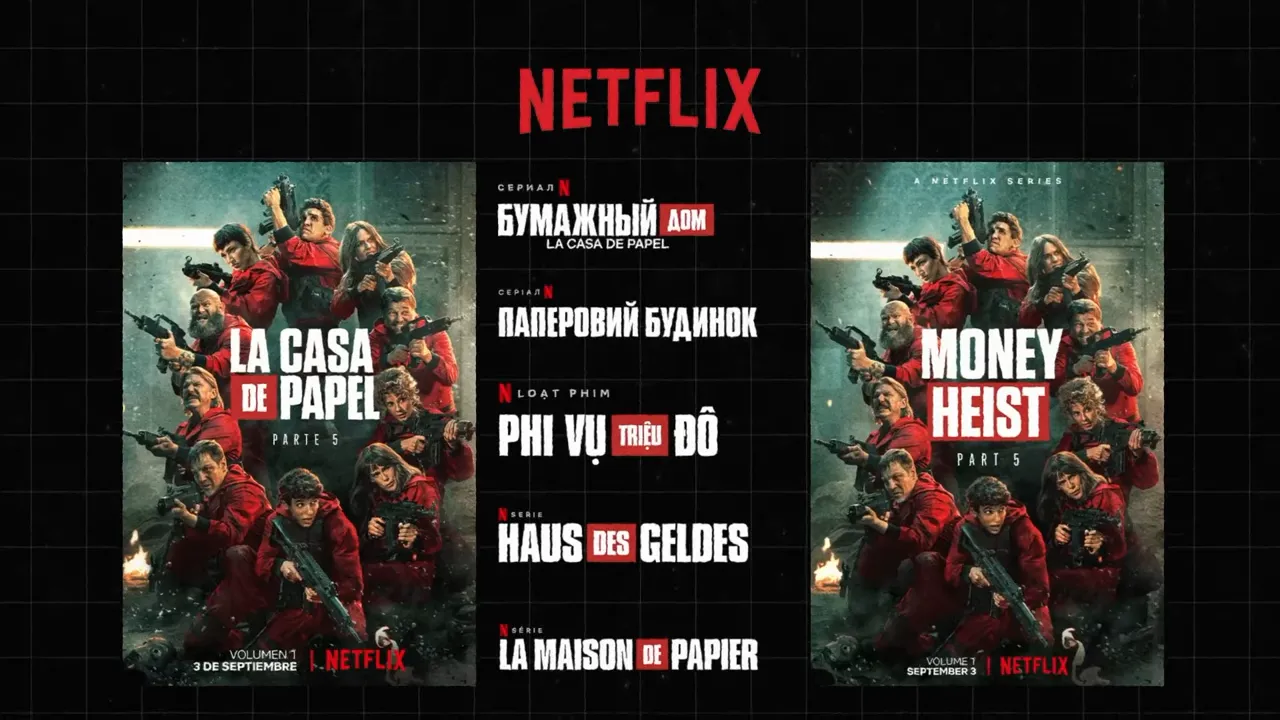
That is the same basic playbook now available to creators on YouTube. Translate YouTube thumbnails, localize supporting metadata, and suddenly a foreign video look familiar and viewers are more likely to engage.
Should creators be auto-dubbing content too?
On its own, a translated thumbnail can lift clicks. Combining a translated thumbnail with YouTube’s auto-dubbing tools — or at least translated subtitles — can take a video to the next localized level.
Here is why. Suppose someone in Brazil sees your Portuguese thumbnail and clicks. If YouTube also serves a Portuguese dub, the experience feels instantly more coherent. It will still be “imported” content, but it’s imported content that is making an effort to reach a new audience. That matters.
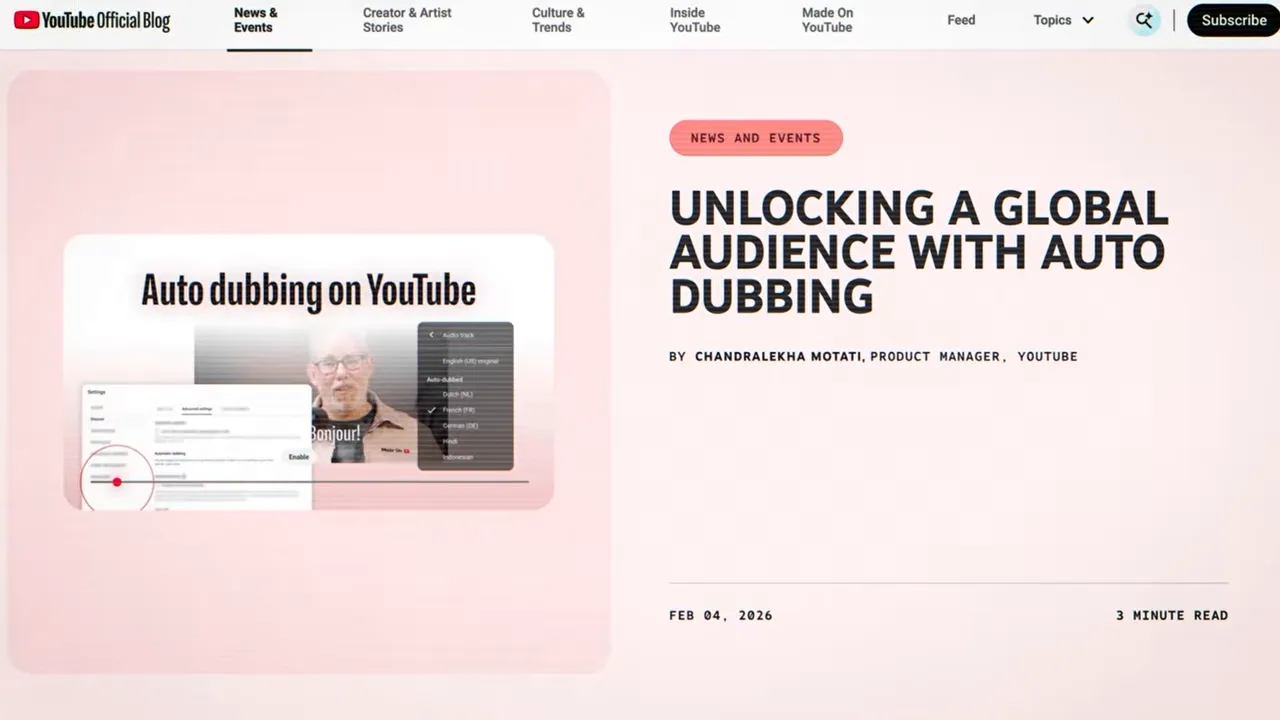
When you translate YouTube thumbnails and pair them with localized audio, you are no longer competing only in your home market. You are entering discovery systems in multiple markets using content you already made.
The upside can show up across several metrics:
- More views from outside your home country
- More watch time if the localized experience holds attention
- More subscribers from new markets
- More revenue from a larger total audience base
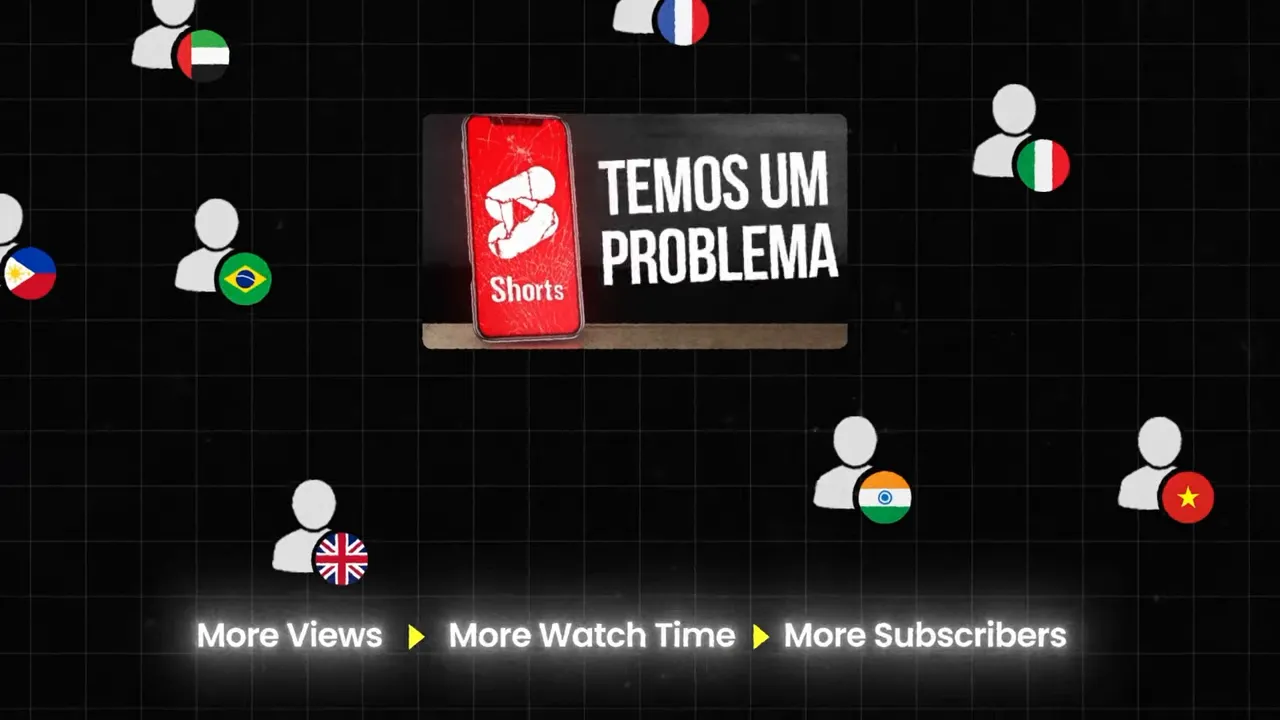
If you want a deeper look at how audience expansion connects to strategy, TubeBuddy’s post on understanding your YouTube audience is a good read.
So why wouldn’t you translate your content?
There’s a lot of potential upside to translating your content, but it’s not like if you do it, you’ll become an international sensation. There are some downsides. None of them should stop you doing so.
When you translate YouTube thumbnails and make your videos more available internationally, you also widen your competitive field. You are no longer just trying to win attention in one country. You are entering more recommendation and search environments, which means other creators might also be exposed to your audience.
The downside is more competition. The upside is access to more potential demand. For most creators, especially those with content that travels well across borders, it’s a trade worth making.
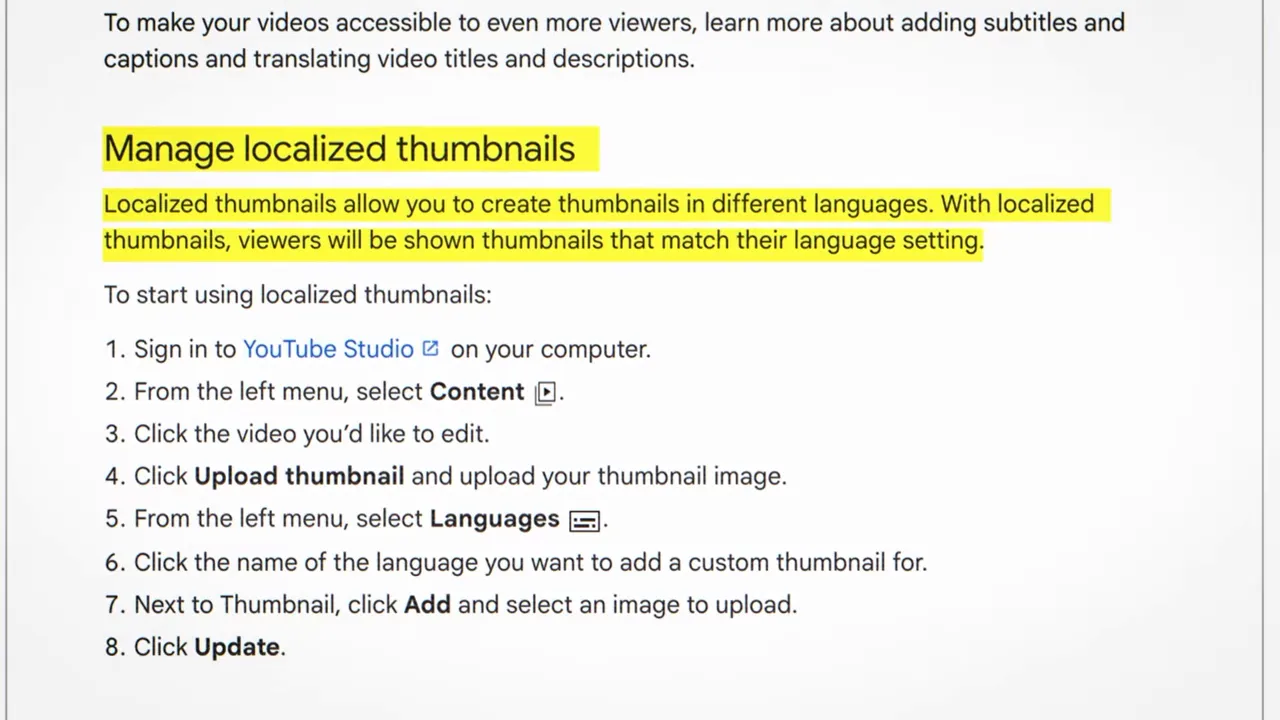
How to set up thumbnail translations in YouTube Studio
- Open YouTube Studio.
- Go to Content.
- Select the video you want to localize.
- In the left-side menu, click Languages.
- Choose the language you want to add.
- Click Add next to the thumbnail field.
- Upload the translated thumbnail version.
- Click Update.
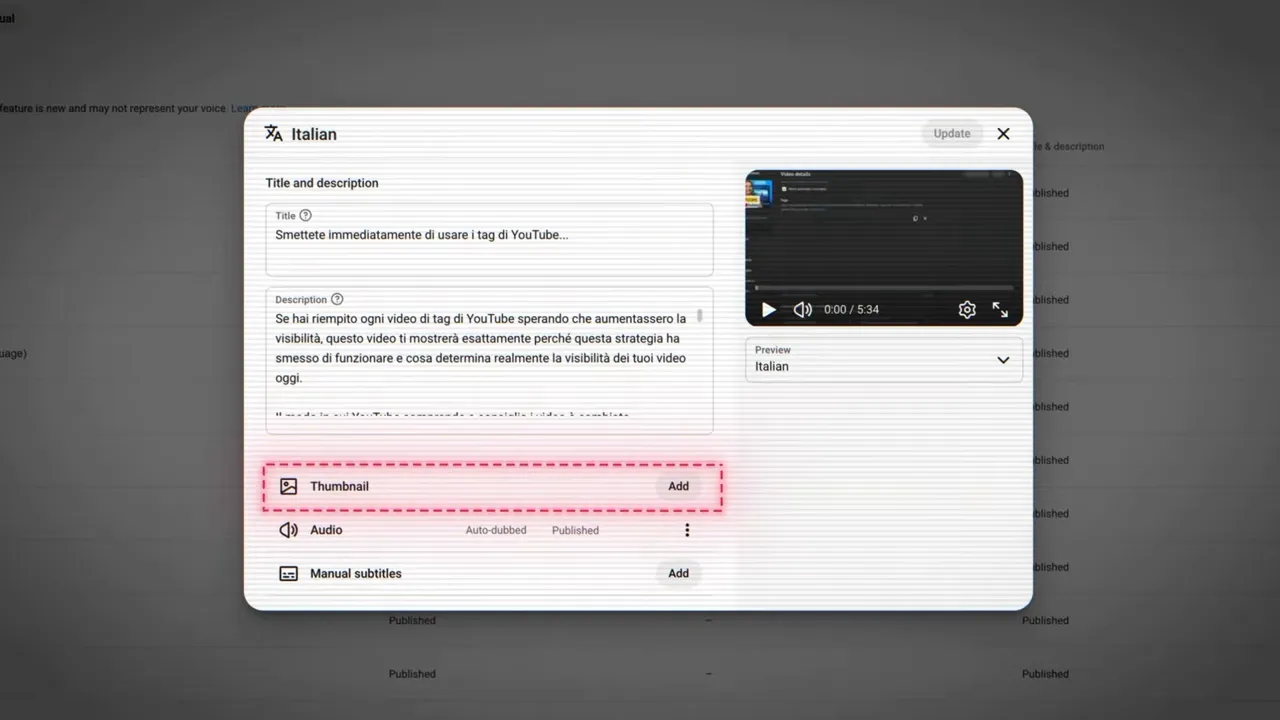
That’s it. Uploading thumbnail translations in YouTube studio takes no time… but it does assume you already have the translated assets ready to go. Which you probably don’t. So let’s fix that.
How to translate YouTube thumbnail text – a workflow
The most basic way to translate your YouTube thumbnail text is using Google Translate:
- Take the text from your existing thumbnail.
- Run it through Google Translate.
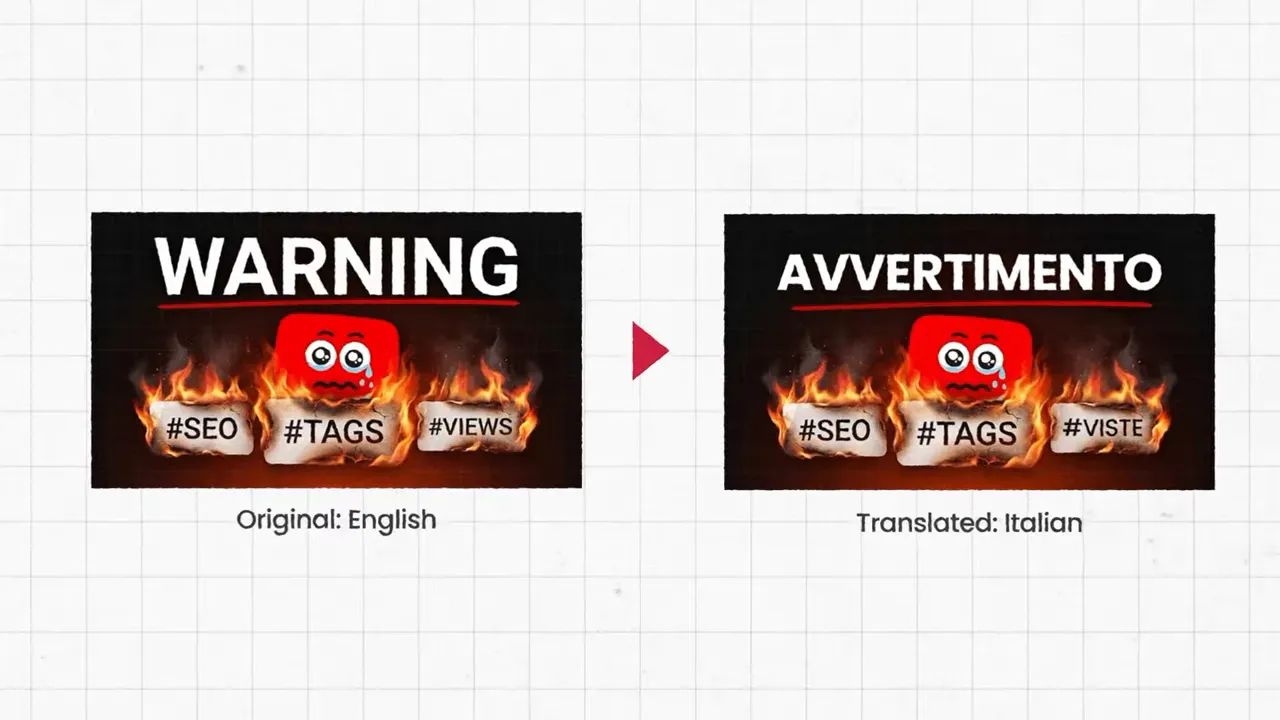
- Swap the translated phrase back into your design.
- Export the new thumbnail.
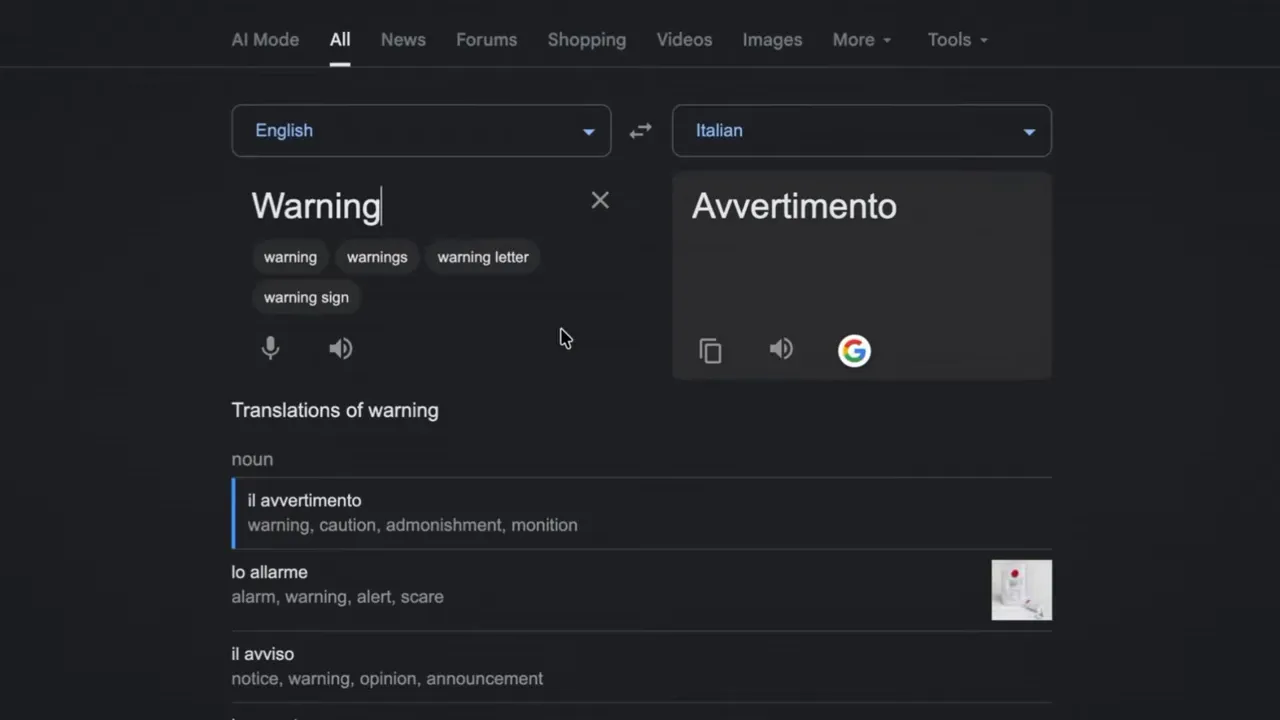
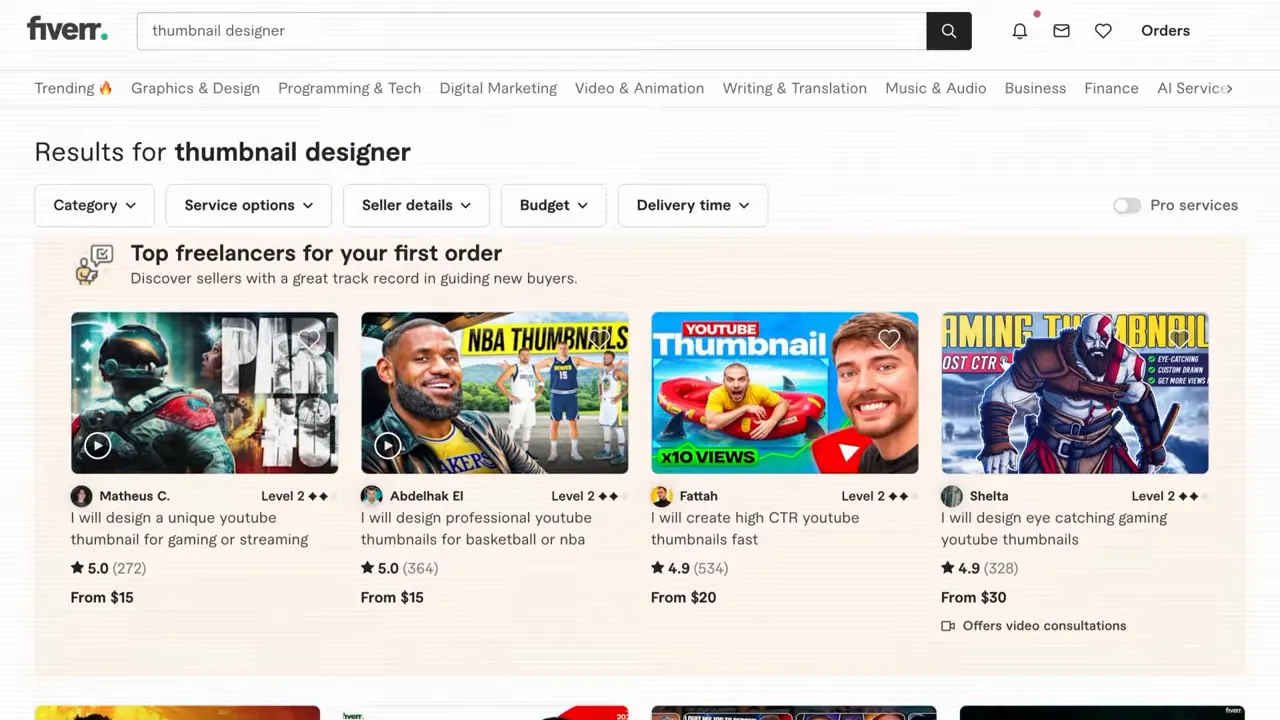
Canva also has a Canva Auto Translate tool that can greatly simplify this process. Photoshop doesn’t have a native translation tool but it does have a plugin ecosystem you can tap. Or you could always pay a thumbnail designer to do this lightweight localization work: a marketplace like Fiverr could be a great bet.
One extra detail matters here: verify the translation before you publish. Short thumbnail phrases can carry slang, urgency, or nuance, and direct translation is not always perfect. If needed, have a native speaker check the wording or use image-based translation tools to make sure the design still reads naturally.
Which languages you should localize first
Don’t come out of the gate by trying to translate your YouTube thumbnails for every language.
Instead, open YouTube Studio and look at your audience data, especially your top geographies. If your channel is already seeing action in a country outside your home market, make that country your first localization target.
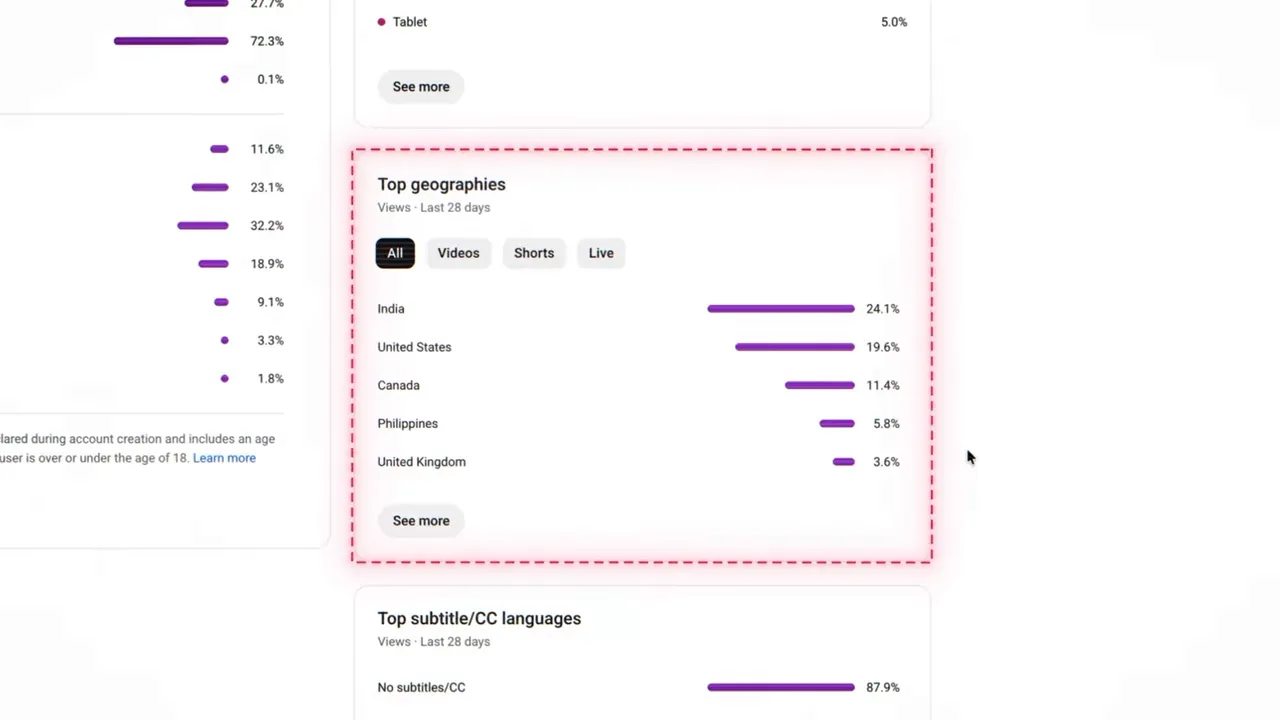
It just make sense to start your localization efforts where you’re already seeing some traction:
- The audience already exists.
- You have proof that your topic travels.
- A translated thumbnail can improve conversion where demand is already present.
- You can test localization with less guesswork.
So start with a simple roll-out, check the results, and expand or adjust from there. It’s the same advice you’d hear from TubeBuddy around optimizing thumbnail and title CTR. Which makes sense, because what we’re really talking about here is localization as a strategy to drive more clicks and in turn, grow engagement.
Localize with text-free thumbnails
So localized translations make sense, and you shouldn’t spend a ton of time localizing for small or unproven markets. There is a middle ground: you can lean on visual language for text-free thumbnails.
- Create localized text thumbnails for countries already sending traffic
- Switch to universal, visual language thumbnails for other audiences
A text-free thumbnail might do the job better than a rushed translation. Strong visuals work. Faces, emotion, objects, contrast, tension, and obvious before-and-after storytelling often communicate across language barriers with very little help.
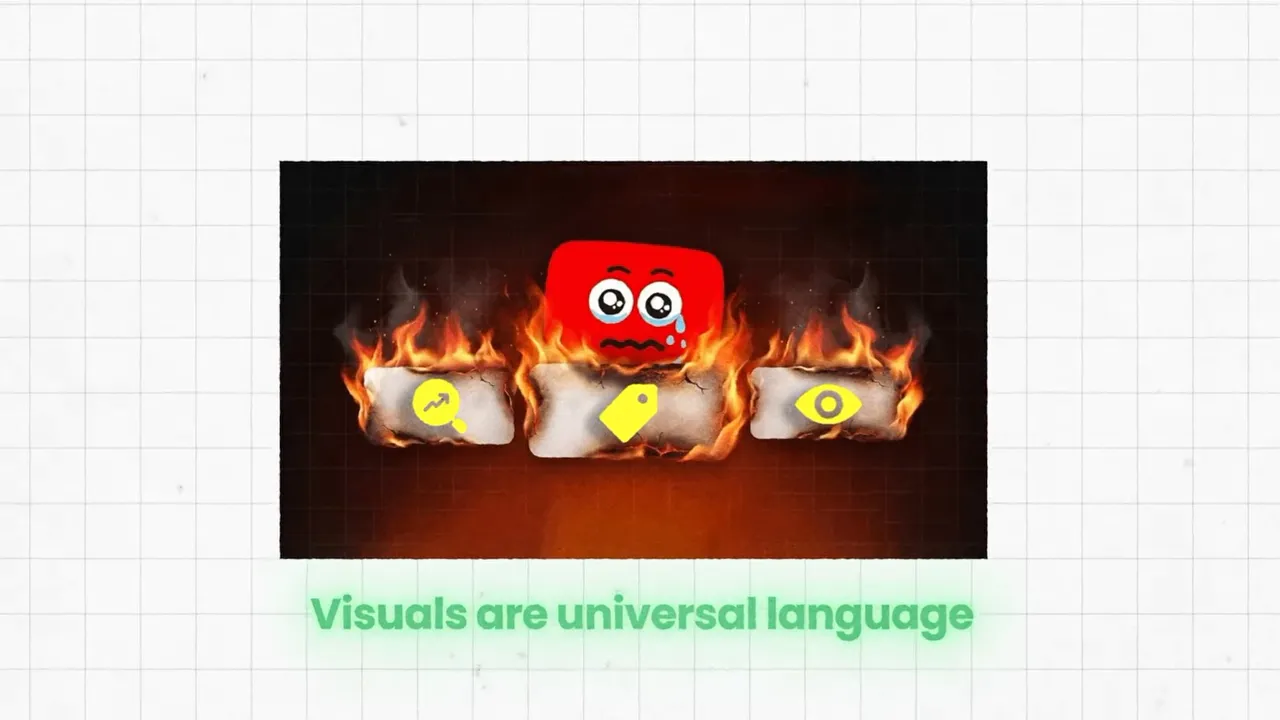
This is the efficient way to translate YouTube thumbnails without adding a bunch of production work. A few high-value localized versions can prove out the case while one strong visual-only version can support broader international reach.
It is also a reminder that the best thumbnails are often concept-first, not text-first. The clearer the visual idea, the easier it becomes to scale internationally.
What this means for creators right now
This is bigger than YouTube adding another option in YouTube Studio. It’s an opportunity and like all opportunities on YouTube, there is a first-mover advantage.
Most channels still are not taking full advantage of localization, and that creates a window where the creators willing to do the work can gain reach early, before localizing becomes standard practice.
You don’t need to overhaul your channel. Try this:
- Start with one or two videos that already have some international traction.
- Create translated thumbnail variants for those markets.
- Pair them with YouTube’s localization tools.
- Measure the change in click behavior.
If you’re seeing signals that it’s working, you can expand your strategy to address new uploads and your back catalog of content.
Conclusion: translate your YouTube thumbnails!
New features in YouTube come with a first-mover advantage. The creators that adopt them early are the ones that realize that advantage.
That doesn’t mean you need to rethink your entire YouTube strategy:
Translate YouTube thumbnails for the markets already showing up in your analytics. Use YouTube Studio’s language tools to upload localized versions. Let auto-dubbing and auto-captions further localize your content. For the rest of the world, rely on visual-first thumbnail design that communicates without words.
YouTube is a global platform reaching audiences all around the world. Taking simple steps to localize your content can give you better access to those audiences.
At the very least, it’s worth a try!

Get an unfair advantage on YouTube
Give your YouTube channel the upper hand and easily optimize for more views, more subs, and more of every metric that matters.
FAQ: How to translate YouTube thumbnails
It means creating alternate thumbnail versions in different languages and uploading them so YouTube can show the most relevant version based on language and location.
No. The feature is designed so one video can have multiple localized thumbnail versions. The video stays the same while the packaging changes by audience.
Probably not. The smarter approach is to start with countries already appearing in your top geographies. That gives you proof of demand before you invest more time.
For some markets, yes. If you are not yet seeing strong traffic from a given country, a clear visual-only thumbnail can be more efficient than making many low-priority translated versions.
Because the full experience aligns. A person can see a localized thumbnail, click, and hear the video in their own language. That creates a much more native-feeling experience.
Watch your geography-specific performance in YouTube Studio and compare click and reach trends over time. You can also combine this with structured testing strategies like those covered in TubeBuddy’s guide to YouTube thumbnail A/B testing.


